Next-action dashboard
One hero CTA per order — pay, schedule, consult, or view report — so patients always know the single step that unblocks their care.
LivoTale Platform
Mobile · 2026
Mobile-first patient app — OTP login, order tracking, scheduling, and report downloads
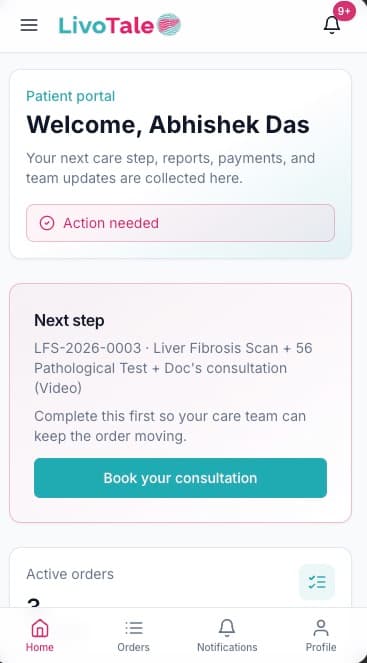
The LivoTale patient portal is how people experience their care journey after booking — on their phone, without calling ops for every update.
OTP login keeps auth separate from staff credentials. The dashboard hero surfaces the single next action: pay, book a consultation, schedule a scan, or view a report. An "Action needed" banner and notification badge (9+) tie into the WebSocket inbox fed by the transactional outbox.
Order tracking uses a parallel stepper — payment, FibroScan home visit, pathology tests, final report, doctor consultation, prescription — with each track showing its own status, technician/lab details, and deep links to liver insights or lab reports when ready.
Patients self-schedule scan and consult slots once payment clears, see confirmed home visit windows with technician contact info, and download published invoices, lab reports, final reports, and prescriptions as PDFs. The bottom nav keeps Home, Orders, Notifications, and Profile one thumb away.
Technical depth
Systems and patterns behind LivoTale Patient Portal— the parts that don't show in a screenshot.
One hero CTA per order — pay, schedule, consult, or view report — so patients always know the single step that unblocks their care.
Scan and pathology tracks show independent progress with technician/lab metadata, matching the backend reconcile_order_status() merge.
WebSocket inbox with unread badges — payment confirmed, scan scheduled, report ready — without polling or SMS-only updates.
Walkthrough
Key screens from LivoTale Patient Portal — what I built and why it mattered.
Welcome hero with the single next step — book consultation — plus action-needed banner and notification badge tied to the real-time inbox.
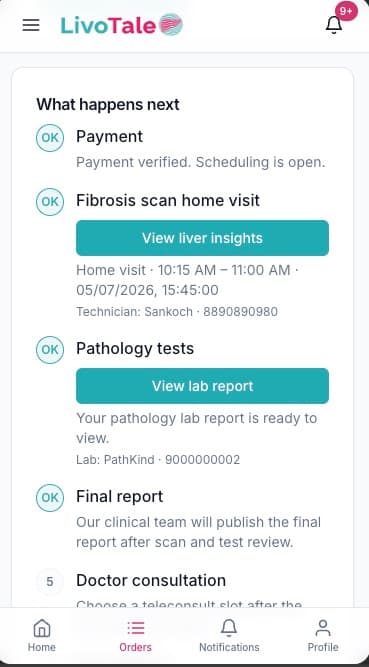
Payment, scan, pathology, report, and consult steps with OK markers, liver insights links, and technician/lab contact details per track.
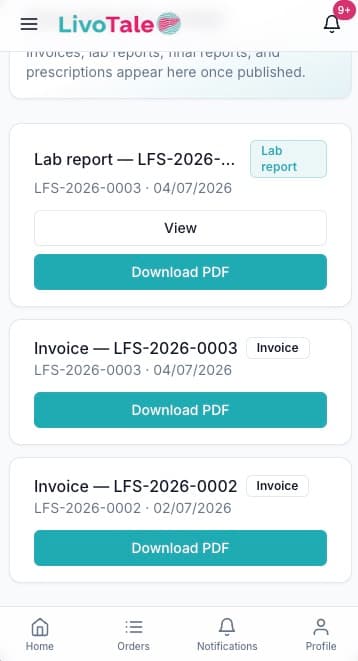
Lab reports, invoices, and prescriptions in one list — view in-app or download PDF once ops publishes each document.
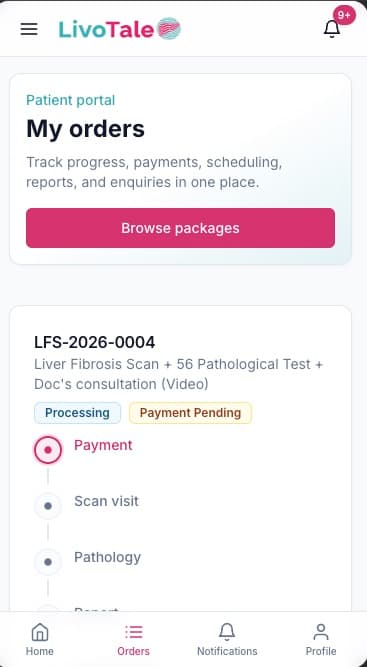
All orders with processing/payment-pending badges and a vertical stepper so patients see where each package sits in the pipeline.
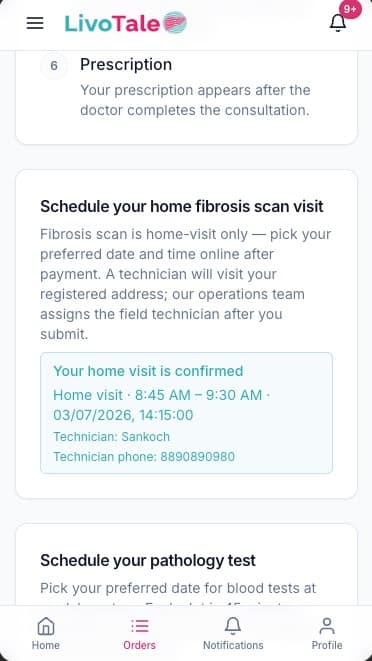
After scheduling, patients see the confirmed window, technician name, and phone number — no ops callback needed for basic status.
LivoTale Platform